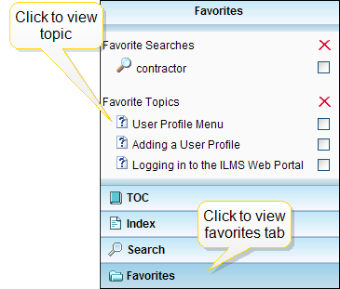
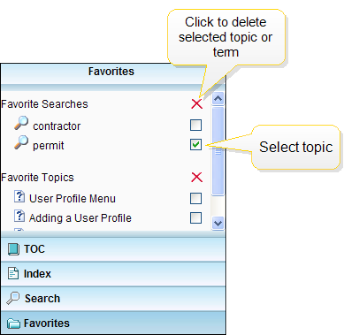
The Favorites tab is located at the left of the screen. The tab is tiled under the other pane options. You can save frequently referenced topics and searches here. View your Favorites folders by clicking on the Favorites tab.
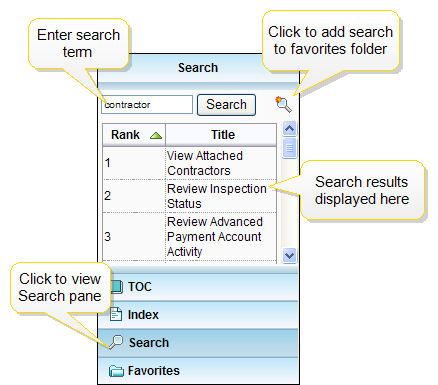
After conducting a search, you can add frequent searches and the results produced to your Favorite Searches folder. Click the magnifying glass near the Search button on the Search tab to add the results to your Favorites.
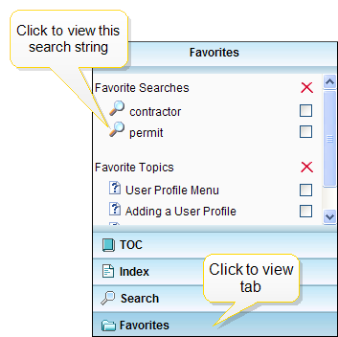
Select a search term from the Favorite Searches section. This action will open the Search tab and list topics related to the selected search term. For more on the Search function, click here.
Click the checkbox next to the topic you want to remove from your Favorites folder.
Select additional topics or search terms as desired.
Click the red X, as indicated below, to remove the topic or term from your Favorites folder. This action will remove the selected topic from your Favorites folder.
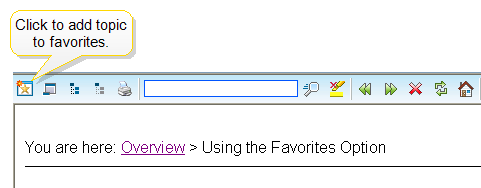
 To add a topic to your Favorites folder: